Using the Auto Zeroing System
(Only when the optional FFT unit is installed)
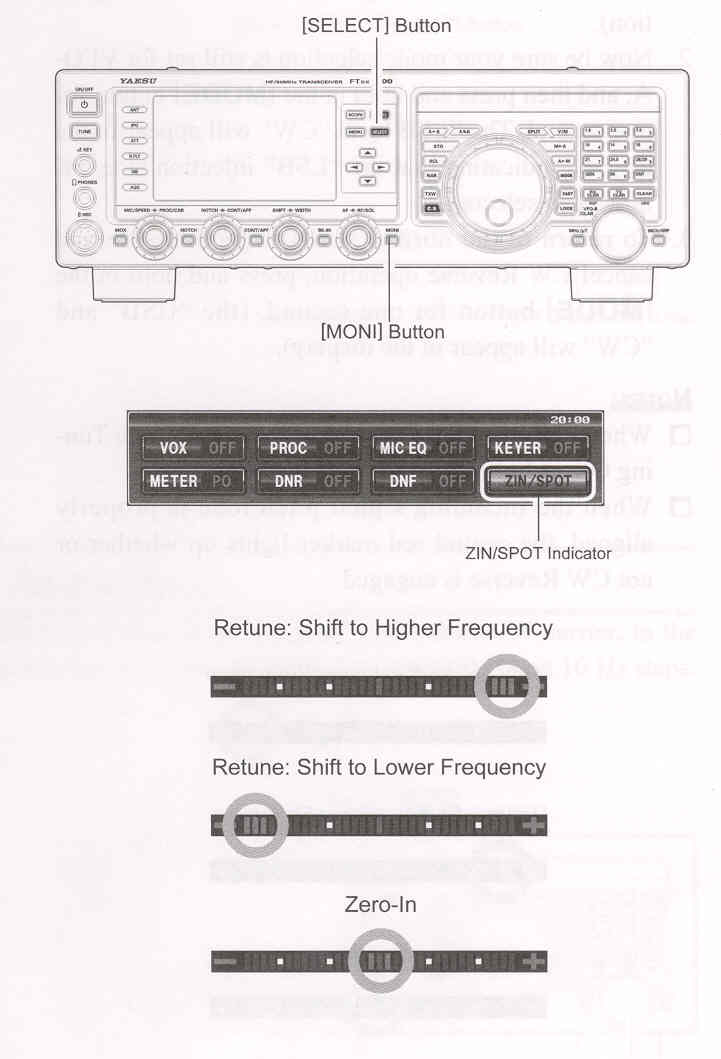
Press the [▲ / ▼ / ◄ / ►] button to select the "ZIN/SPOT". Press the [SELECT] switch momentarily to adjust the receiving frequency to the zero-in automatically while receiving the CW signal.
Using the Spot System
Press the [▲ / ▼ / ◄ / ►] button to select the "ZIN/SPOT". Press the [MONI] button, then while pressing the front panel [SELECT] button, the Spot tone will be heard through you speaker. This tone corresponds to the pitch of your transmitted signal. If you adjust the receiver frequency until the pitch of the received CW signal matches that of the Spot tone, your transmitted signal will precisely matched to that of the other station. Release the [SELECT] button to turn the Spot tone off.
ADVICE:
QUICK POINTS: